

A grocery list that sorts itself by aisle
Say what you need and every item gets its aisle the moment it is recognised, so a fifty-item shop reads like a short list and you walk the store once.
Free: 10 request credits a month + 40 welcome credits · Typing always free · Two languages, more coming soon · No credit card
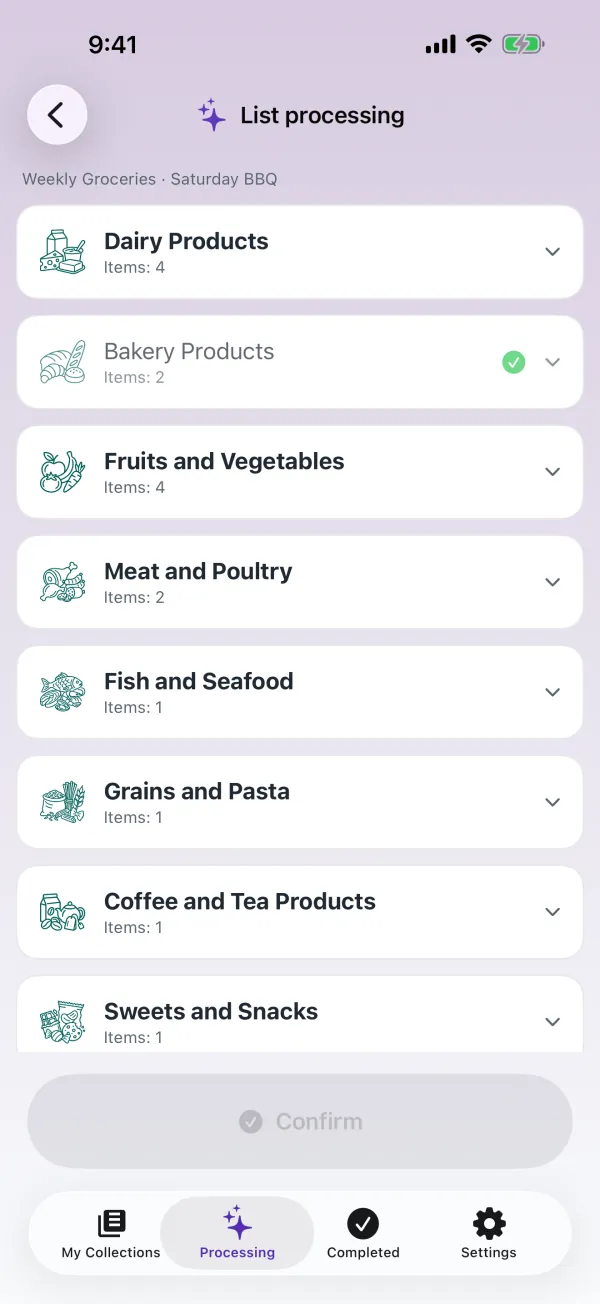
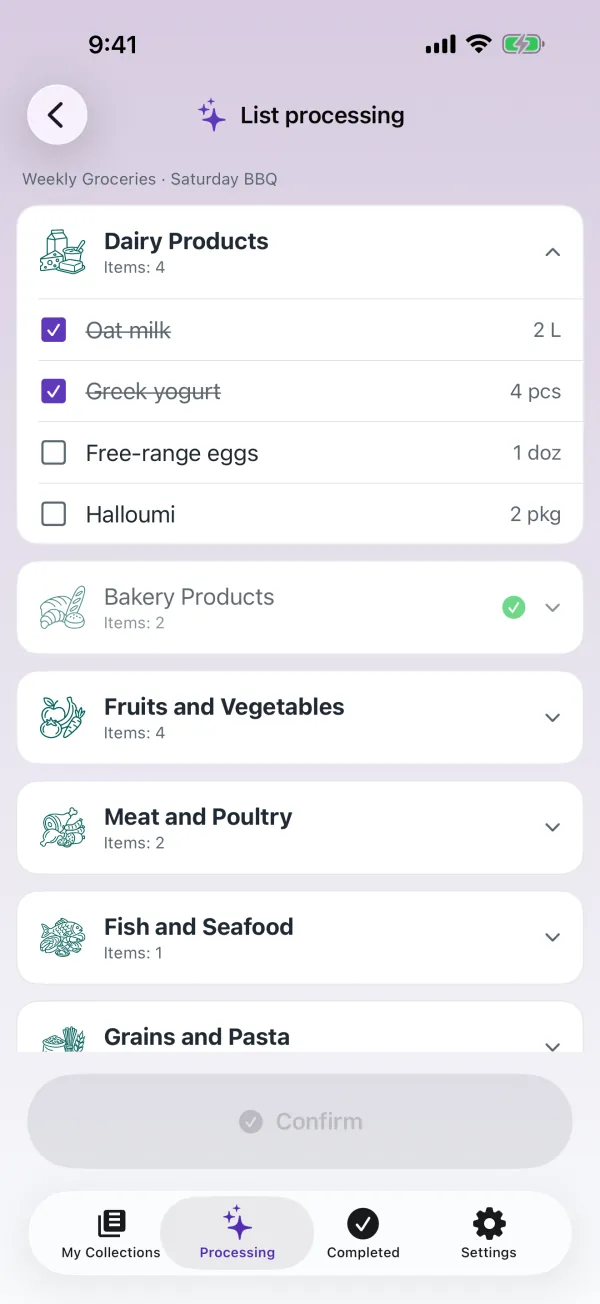
From a jumble to aisles
-
1
Say it in one sentence
List everything you need, in any order. The AI recognises each item and files it into its aisle.
-
2
See it grouped
Dairy, bakery, meat, fish, fruit and vegetables, household: related items sit together instead of scattered down the list.
-
3
Tick off aisle by aisle
Finished aisles get a green tick, so you see at a glance what is left.
Why aisle order saves time
Fewer laps of the store
Grouped items keep you moving in one direction: less backtracking, nothing remembered on the way home.
Amounts included
Quantities and units come straight from what you said, so nobody guesses at the shelf.
Easy to correct
If an item lands in the wrong aisle, change its category in two taps.
Questions, answered
Which aisles does it use?
Familiar store sections such as dairy, bakery, meat, fish, fruit and vegetables and household, each with its own icon.
Can I change an item's category?
Yes. Every list is shown as a draft before it is saved, and you can change an item's name, quantity, unit or category in two taps, then or later.
Is it free?
Yes. Signed in, you get 10 request credits a month plus 40 welcome credits for your first 60 days, and typing items is always free.
More ways Dirifari Shopping List helps
Voice shopping list
Say your whole shop in one sentence and get a written, sorted list.
Shared shopping list
One list for the household: everyone adds and ticks off.
Shopping list with photos
A photo or PDF on any item, so the right product comes home.
Dirifari Shopping List home
Say your whole shop in one sentence. Dirifari Shopping List turns it into a grocery list sorted by aisle, with amounts filled in. Free to start.
Your next shop, already sorted.
Install Dirifari Shopping List and say your first list. It takes about as long as reading this sentence.