

Say your whole shop in one sentence.
Dirifari Shopping List turns what you say into a grocery list that is already sorted by aisle, with every amount filled in. No typing, no second lap of the store.
“Two litres of milk, bread, six bananas, chicken breast”
Free: 10 request credits a month + 40 welcome credits · Typing always free · Two languages, more coming soon · No credit card
Forgot something again? Paper lists get lost, chat messages get buried, and the one thing you needed is always two aisles back. Dirifari Shopping List writes, sorts and keeps the list for you.
From one sentence to a sorted list in seconds
Three steps, and the first one is just talking.
-
1
Say it once
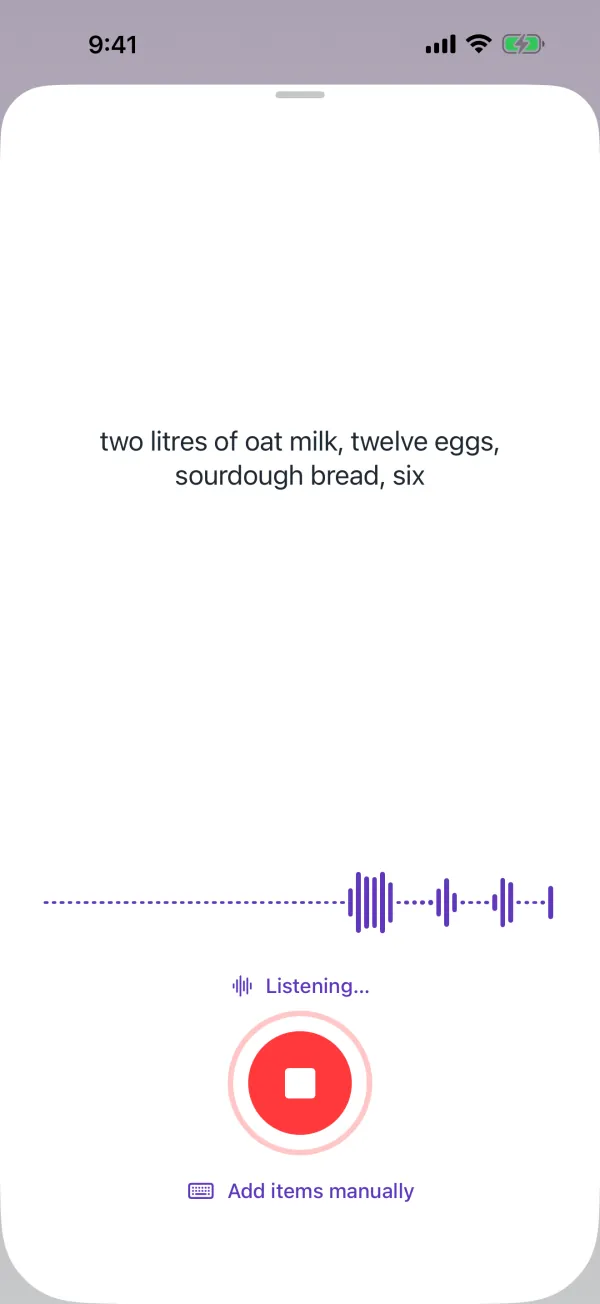
Tap the mic and say everything you need, the way you would tell a person. Quantities and units are picked up as you speak.
-
2
Check the draft
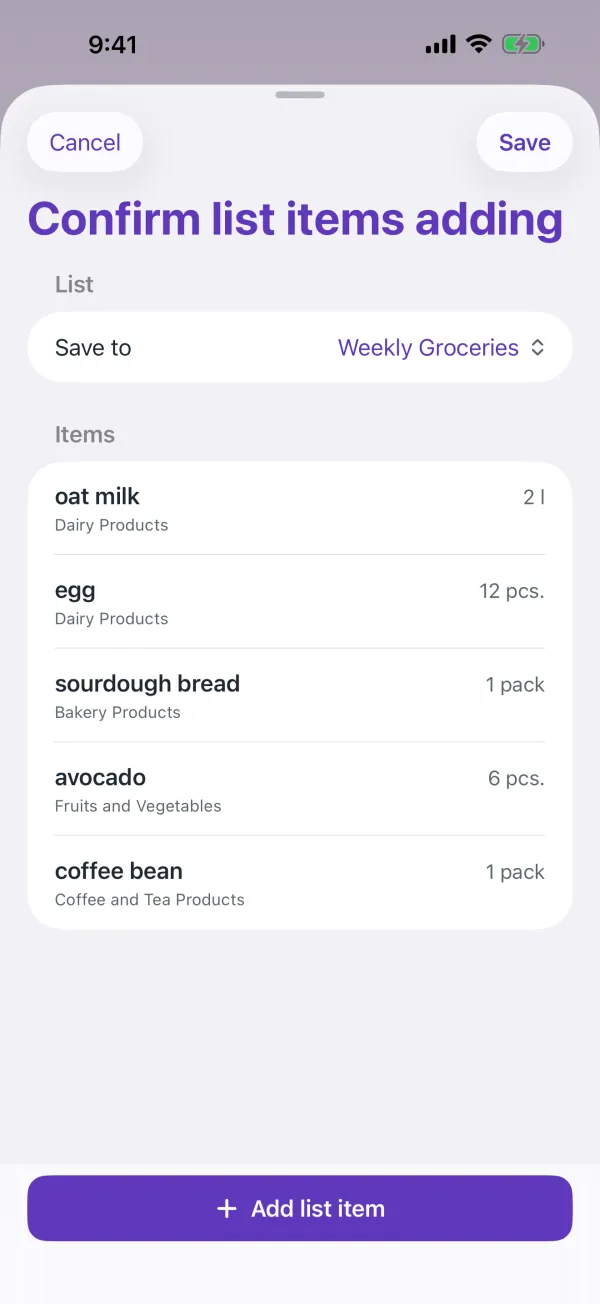
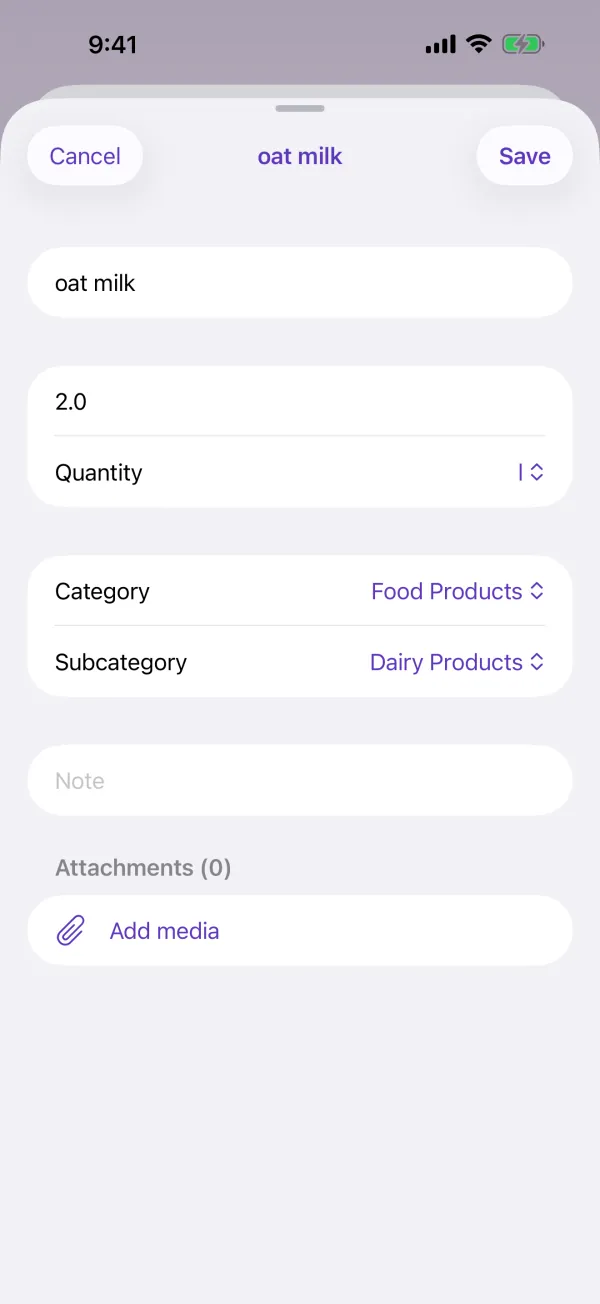
Your list arrives as a draft. Change a name, amount, unit or category in two taps, before anything is saved.
-
3
Shop aisle by aisle
Items are grouped by aisle, so you walk the store once. Tick things off as they go into the basket.
See it in 30 seconds
The real app, start to finish: one spoken sentence, a draft sorted by aisle, a photo on an item, then the shop itself.
- Hold the mic and just talk
- AI sorts it by aisle, amounts included
- Add a photo, fix an amount
- Shop aisle by aisle; every trip is kept in history
Built for the shop itself, not for a notes app
Every screen saves a minute where it counts: before you leave the house, and in the aisle.
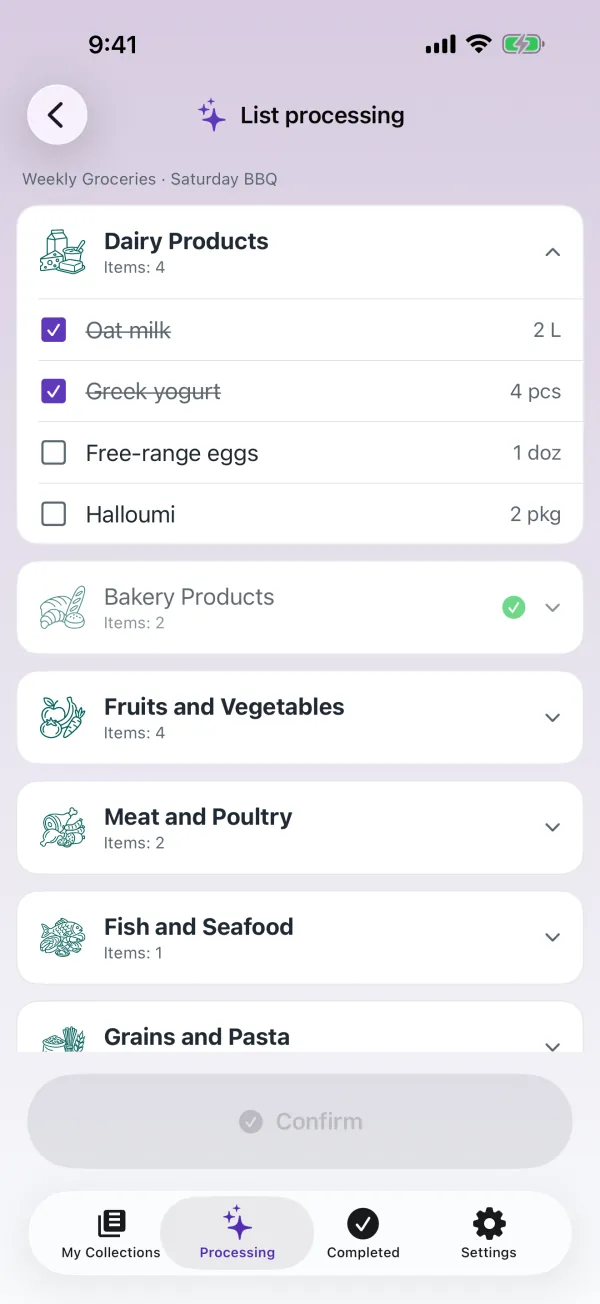
Filed into aisles before you leave the house
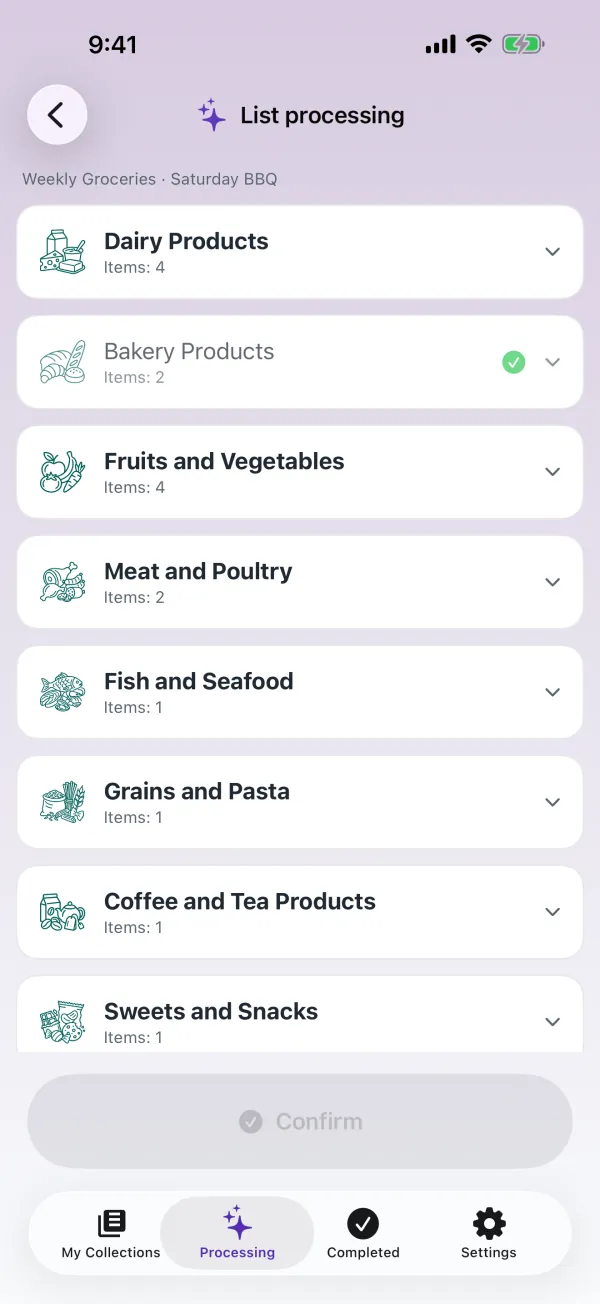
Every item gets its category the moment you say it: dairy, bakery, fruit and vegetables, household. A fifty-item shop reads like a short list, and finished aisles get a green tick.
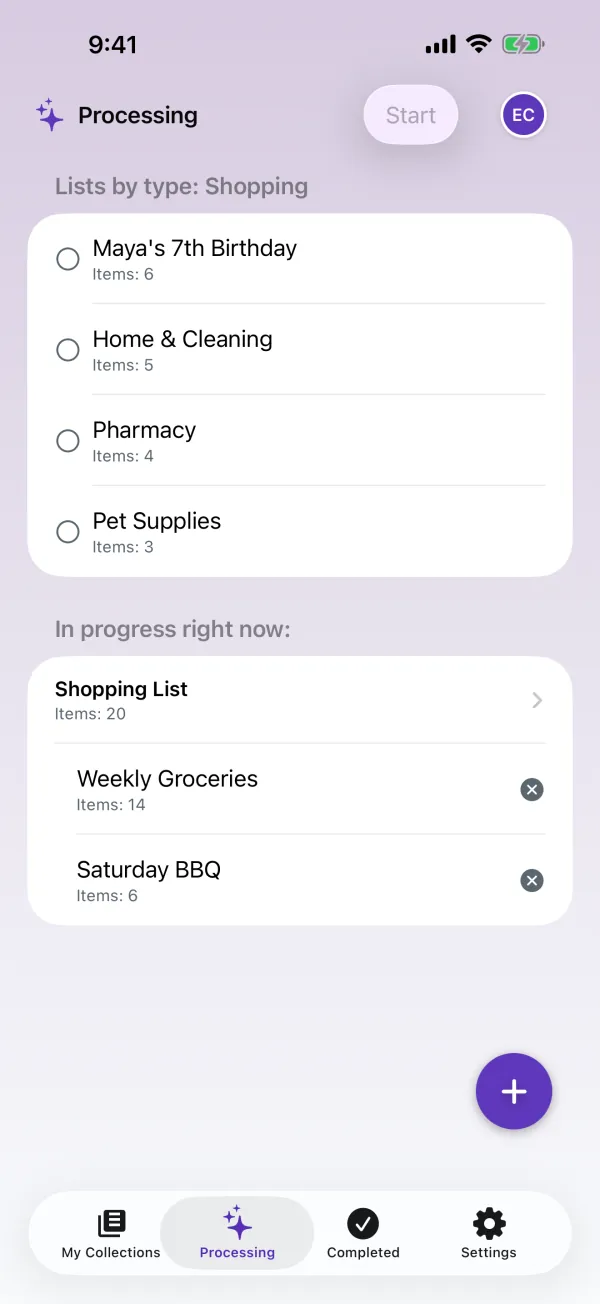
Several lists, one trip
The weekly shop and Saturday's barbecue on the same day? Pick both lists and start: their items merge into one walk through the store, aisle by aisle, with no backtracking.
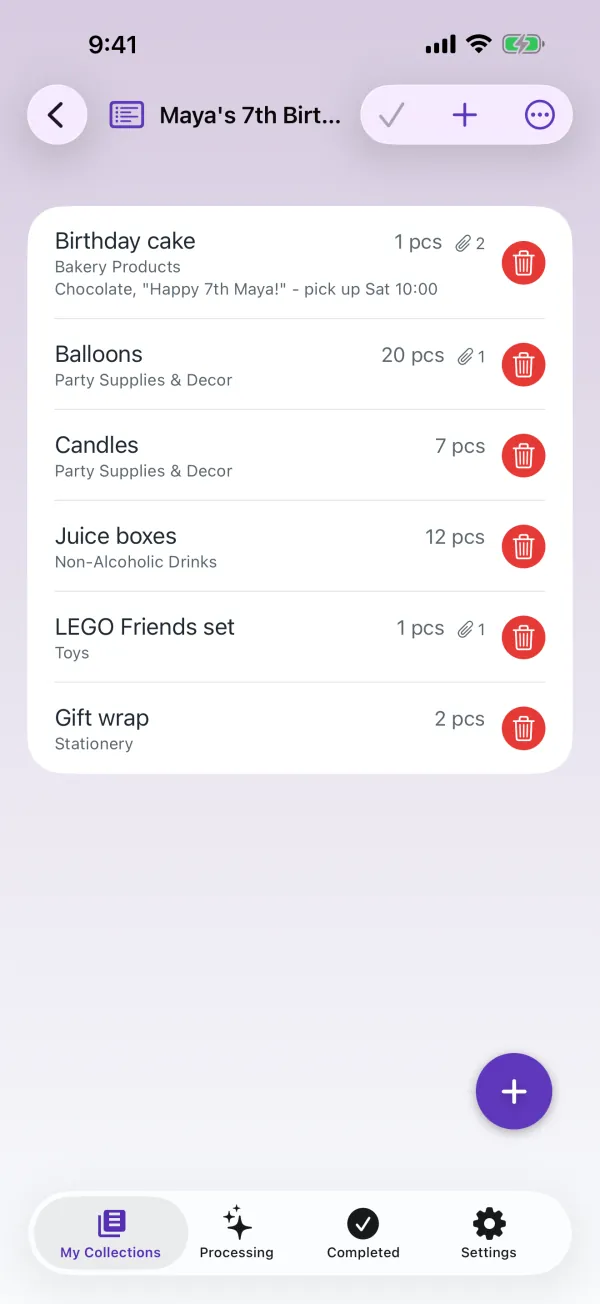
Every item, in detail
Twenty balloons, seven candles, twelve juice boxes: quantities and units come straight from what you said, so nobody guesses at the shelf. Edit any item when plans change.
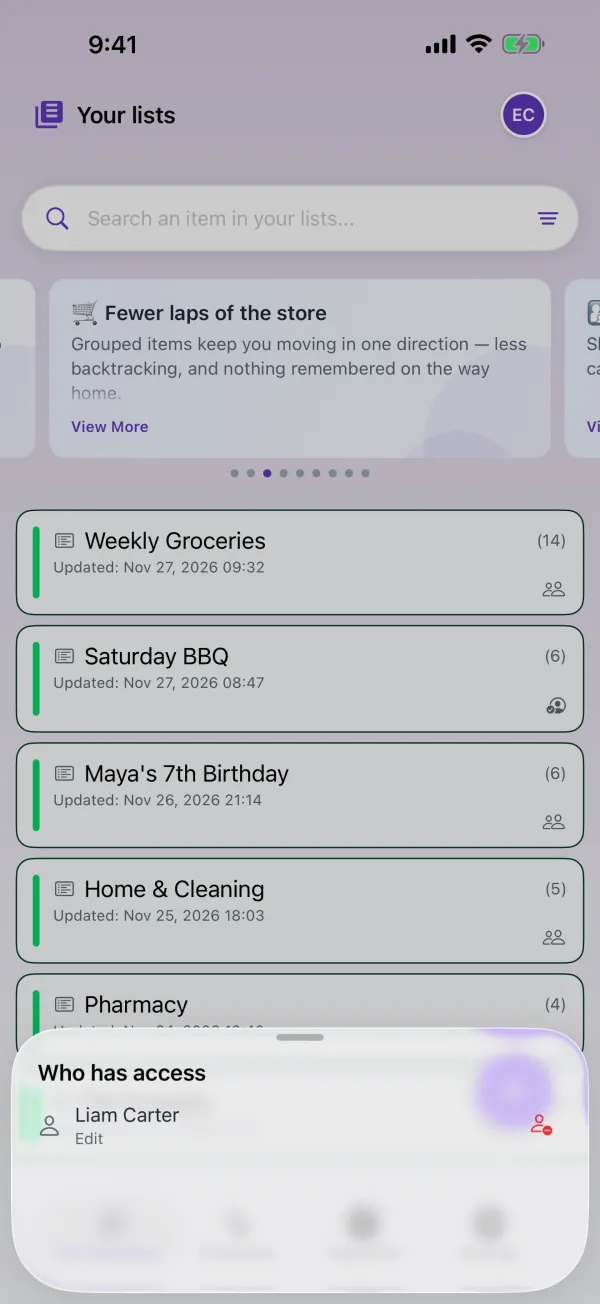
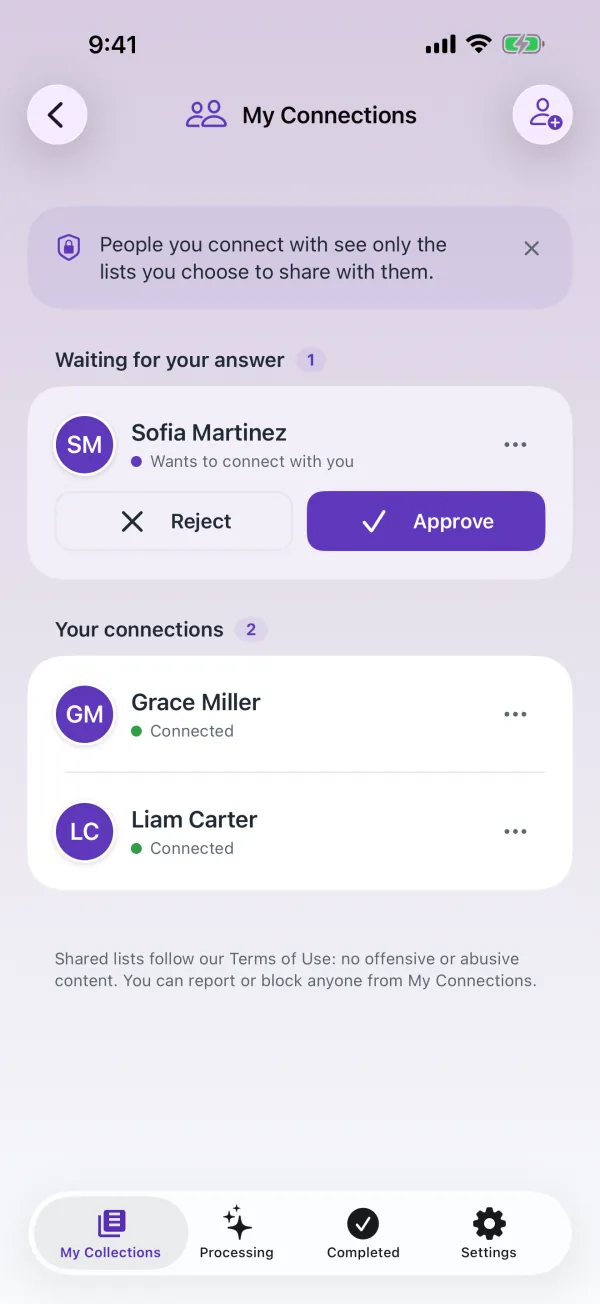
Shop together, with the people you choose
Connect with family or flatmates through an invite link, then share any list. Everyone adds items and ticks them off on their own phone, and you decide who can view and who can edit.
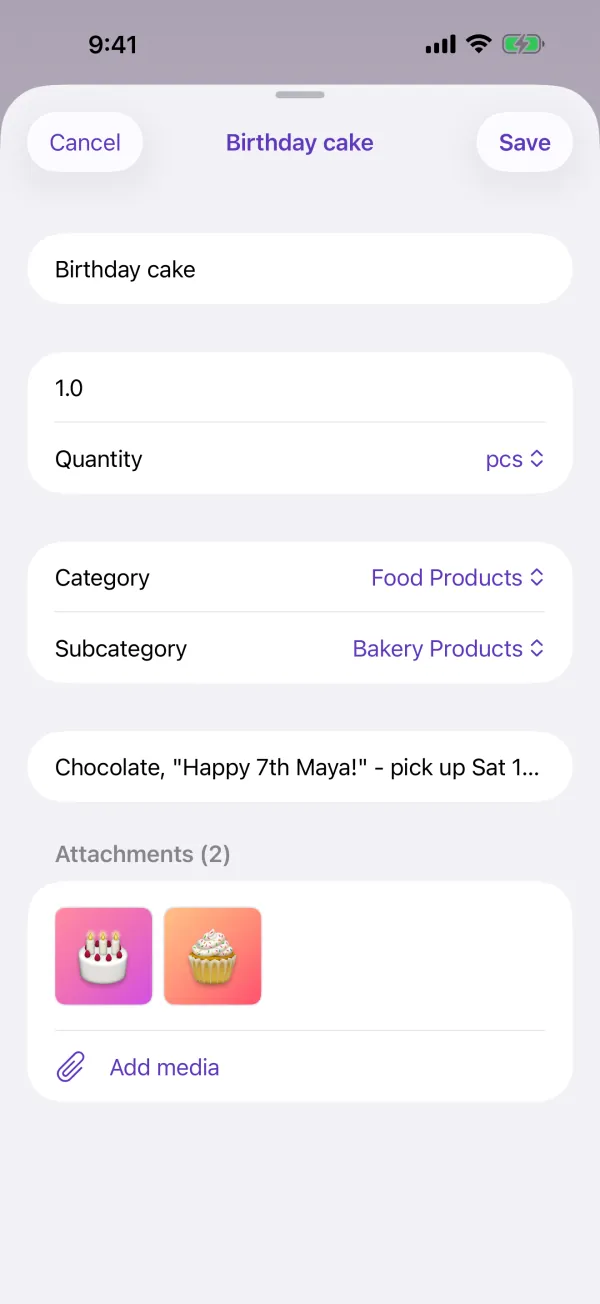
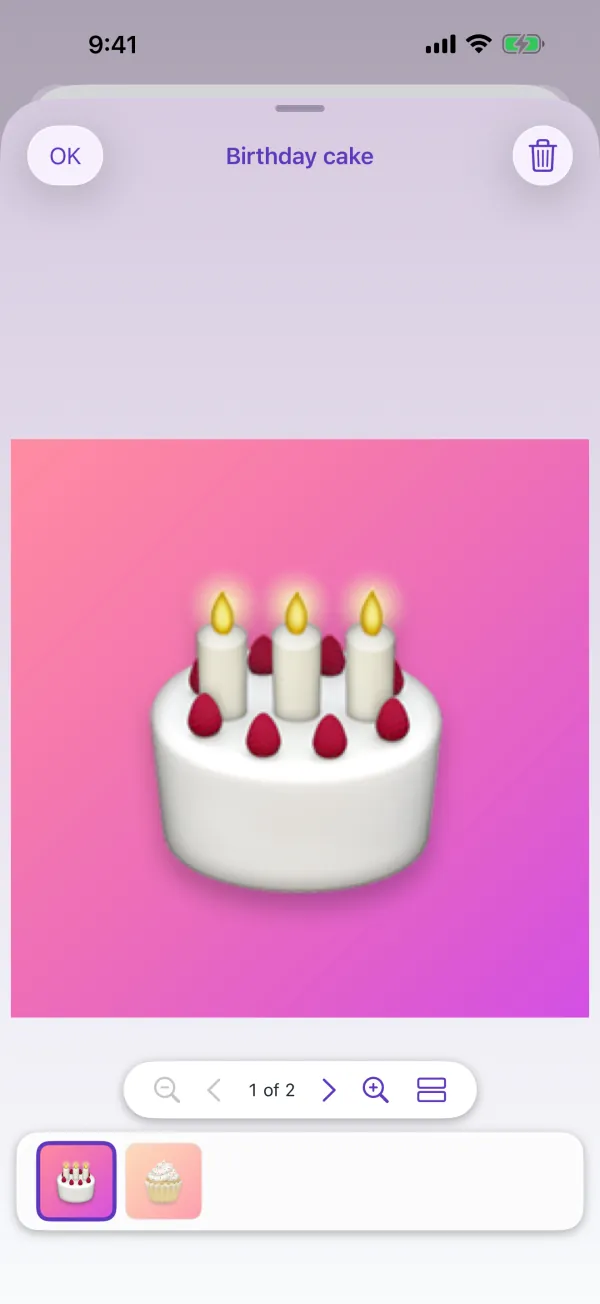
The exact product, not a guess
Attach a photo of the exact product, or a PDF, and add a note such as “pick up Sat 10:00”. Whoever does the shop brings home the right one. 5 attachments on Free, 30 on Plus.
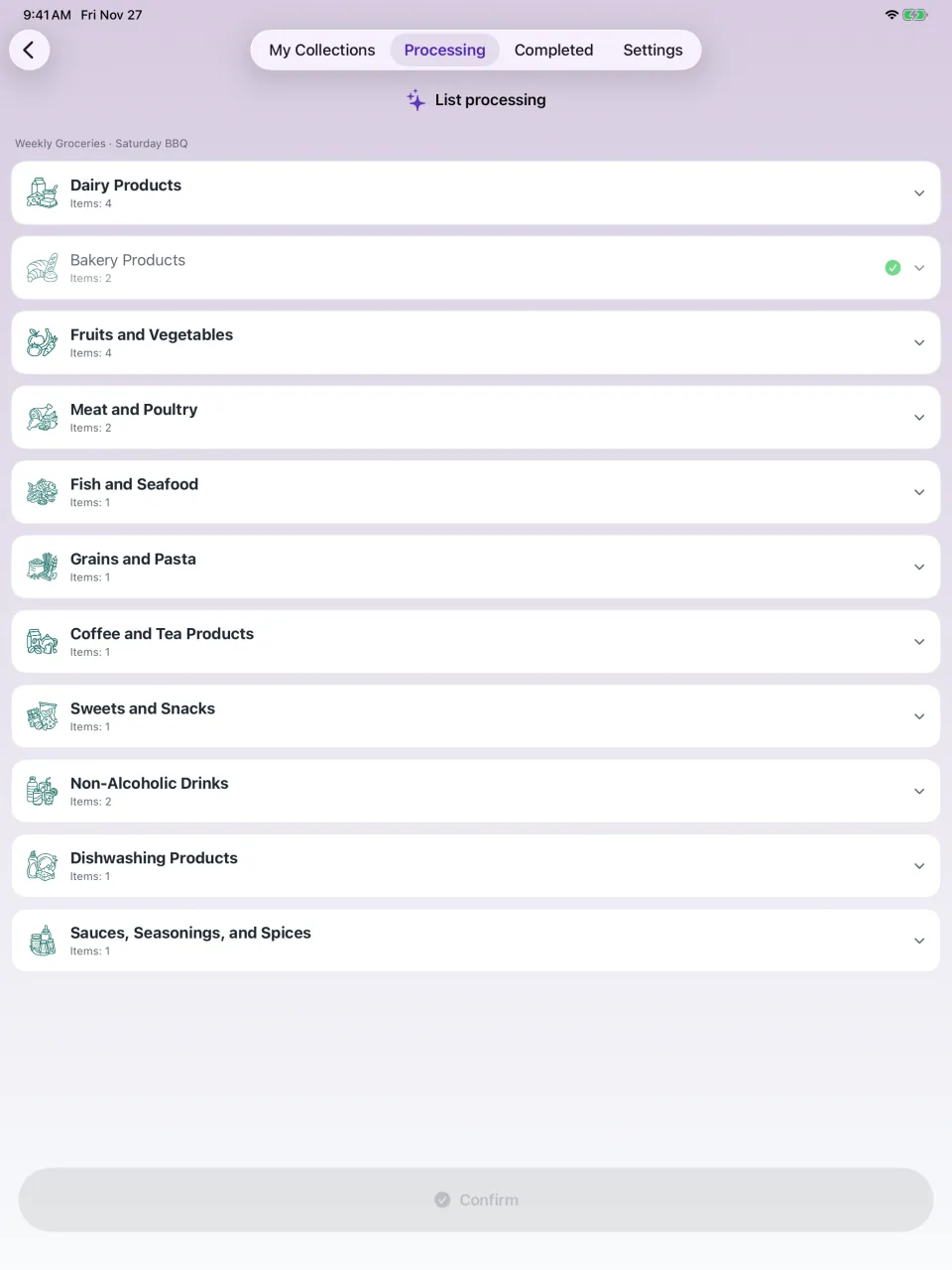
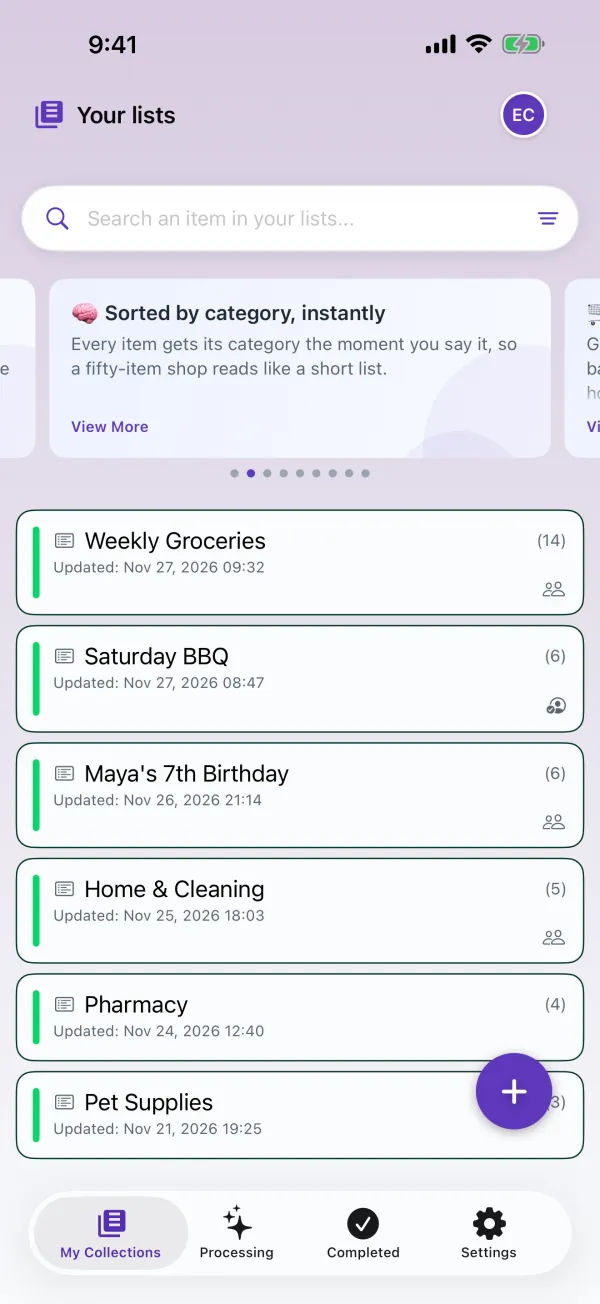
Every list you're running, in one place
The weekly shop, Saturday's barbecue, the pharmacy run, a birthday party: each list keeps its name, date and item count, and search finds any item across all of them. Signed in, the same lists are on your phone and your tablet.
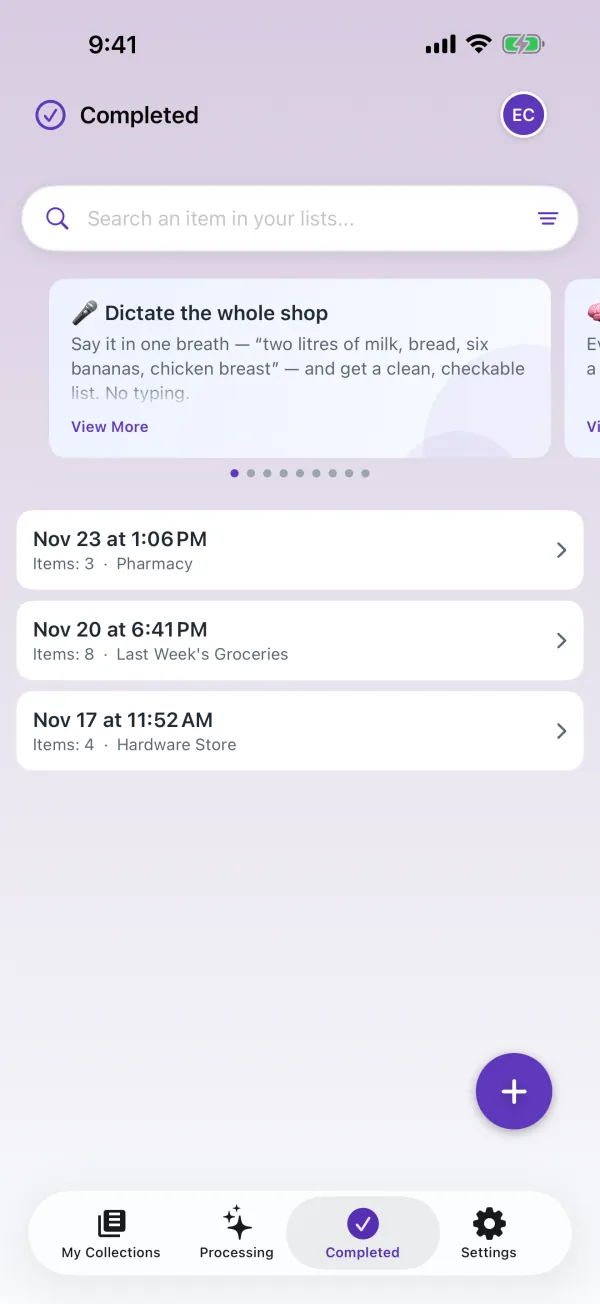
Every shop you've finished, kept
Completed shops are archived with their date and items, not deleted. Find last month's shop and, with Plus, restore one item or the whole shop instead of dictating it again.
Also in Dirifari Shopping List
Works without signal
Your lists live on your phone, so they open and tick off even in a basement supermarket. Turning speech into a sorted list needs a connection.
Sync across devices
Sign in and your lists are on every phone and tablet you use.
Two languages, more on the way
Speak English or Russian today, and the whole app is translated too. More languages are coming soon.
Start without an account
Try it as a guest. Sign in later with Google, Facebook or e-mail.
Find anything
Search finds any item across all your lists, so you never scroll to check whether milk is already on one.
Restore from history
Bring back a single item or a whole finished shop from the archive, into an existing list or a new one.
Free to start. Plus when you shop a lot.
Voice requests use credits, and every account gets free ones each month. Typing items is always free and unlimited. Plus is for households that shop often and never want to count.
Free
$0
- 10 request credits a month signed in, plus 40 welcome credits to use in your first 60 days (guests: 10 in the first 30 days, then 5 a month)
- Typing items: always free and unlimited
- AI sorting by aisle, with amounts and units
- Lists, search and shopping history
- Sync across your devices
- 5 photo or PDF attachments on items
Shopping Plus
$6.99 / month
or $49.99 a year (save 40%), with a 7-day free trial
- 200 request credits a month (fair use)
- Everything in Free
- 30 photo or PDF attachments on items
- Restore items and whole shops from history
Founder price for the waitlist: $34.99 for the first year, 30% off the annual price. Open for 14 days after launch.
Join the Plus waitlistHow credits work
A voice request of up to 9 words uses 1 credit, and every further 10 words adds 1: 10–19 words is 2 credits, 20–29 is 3. A typical spoken shopping list is 1 or 2 credits. Typing never uses credits.
Earn extra free credits
+40 welcome
When you sign up. Use them within your first 60 days.
+10 for the waitlist
Join the Plus waitlist in the app, signed in with your email address. Once.
+10 each for an invite
Invite a friend: you both get 10 once they start using the app. Up to 5 invites every 30 days.
Invite credits expire at your next monthly reset; the welcome credits last 60 days.
Prices in US dollars. €6.99 / €49.99 in the EU and £5.99 / £44.99 in the UK. Local taxes may apply. Prices and plan contents may change before launch.
Your lists are yours
Dirifari Shopping List needs to know what goes in your basket, not who you are.
No content in our analytics
Our product statistics count taps and timings. They never contain recordings, transcripts, item names or list names.
We don't sell your data
We do not sell, share or transfer your personal data to third parties.
Delete it any time
Remove your account and its data whenever you like. See how.
Made for the way you shop
Pick what matters most to you.
Voice shopping list
Say your whole shop in one sentence and get a written, sorted list.
Grocery list by aisle
Every item filed into its aisle, so you walk the store once.
Shared shopping list
One list for the household: everyone adds and ticks off.
Shopping list with photos
A photo or PDF on any item, so the right product comes home.
Questions, answered
Is Dirifari Shopping List free?
Yes. Sign in for 10 request credits a month, plus 40 welcome credits to use in your first 60 days. As a guest you get 10 in your first 30 days, then 5 a month. Typing items is always free and unlimited — only voice requests use credits — and you can earn extra free credits. Shopping Plus, with 200 credits a month, launches in January 2027.
How are credits counted?
Each voice request uses credits by its length: up to 9 words is 1 credit, and every further 10 words adds 1 — so 10–19 words is 2 credits and 20–29 is 3. “Milk, bread, eggs and coffee” is 1 credit. Typing items never uses credits.
How can I get more free credits?
You get 40 welcome credits when you sign up, to use in your first 60 days. After that: +10 once for joining the Plus waitlist in the app, signed in with your email address, and +10 for you and your friend for each invite they accept (up to 5 every 30 days). Invite credits expire at your next monthly reset.
What can I say to it?
Talk the way you would to a person: “two litres of milk, bread, six bananas, chicken breast”. One sentence can hold many items, each with its own quantity and unit, and each goes into its aisle.
What if it gets an item wrong?
Every list is shown as a draft before it is saved. Change a name, quantity, unit or category in two taps, or add items by typing.
Does it work without internet?
Your lists are stored on your phone, so you can open and tick them off without signal. Turning speech into a sorted list needs a connection.
Which languages does it understand?
English and Russian today, both for voice input and for the app itself. More languages are coming soon.
Is there an iPhone version?
Dirifari Shopping List is available for Android on Google Play. The iPhone version is on its way; the App Store button on this page goes live the day it is released.
Can I share a list with my family?
Yes, once you're signed in. Connect with family or friends through an invite link, then share any list: everyone works on the same list, adds items and ticks them off, and changes reach everyone's phone when it syncs.
What do you do with my data?
Your lists are stored on your phone, and in your account when you sign in to sync. Our analytics never contain what you say or buy, and we do not sell your data.
Need more than a shopping list?
Dirifari Organizer brings the same voice-first approach to tasks, reminders, bills and plans, across seven list types. Organizer Pro comes with 1000 request credits a month, at $11.99 a month or $79.99 a year. Full launch in spring 2027.
Your next shop, already sorted.
Install Dirifari Shopping List and say your first list. It takes about as long as reading this sentence.